

Course
The Course page is built from your rounds. To bring them in, see Importing rounds.
A few things hold for the whole page:
- Scores are your actual strokes, not adjusted for handicap.
- Only complete rounds (exactly 9 or 18 holes) count towards scores. A partial round still counts towards each hole’s numbers.
- A round recorded by two apps (say, Garmin and Golf Pad) and uploaded from both counts twice: leave one out of your stats from its page.
- A round marked left out of stats when you imported it isn’t counted anywhere.
Summary
Section titled “Summary”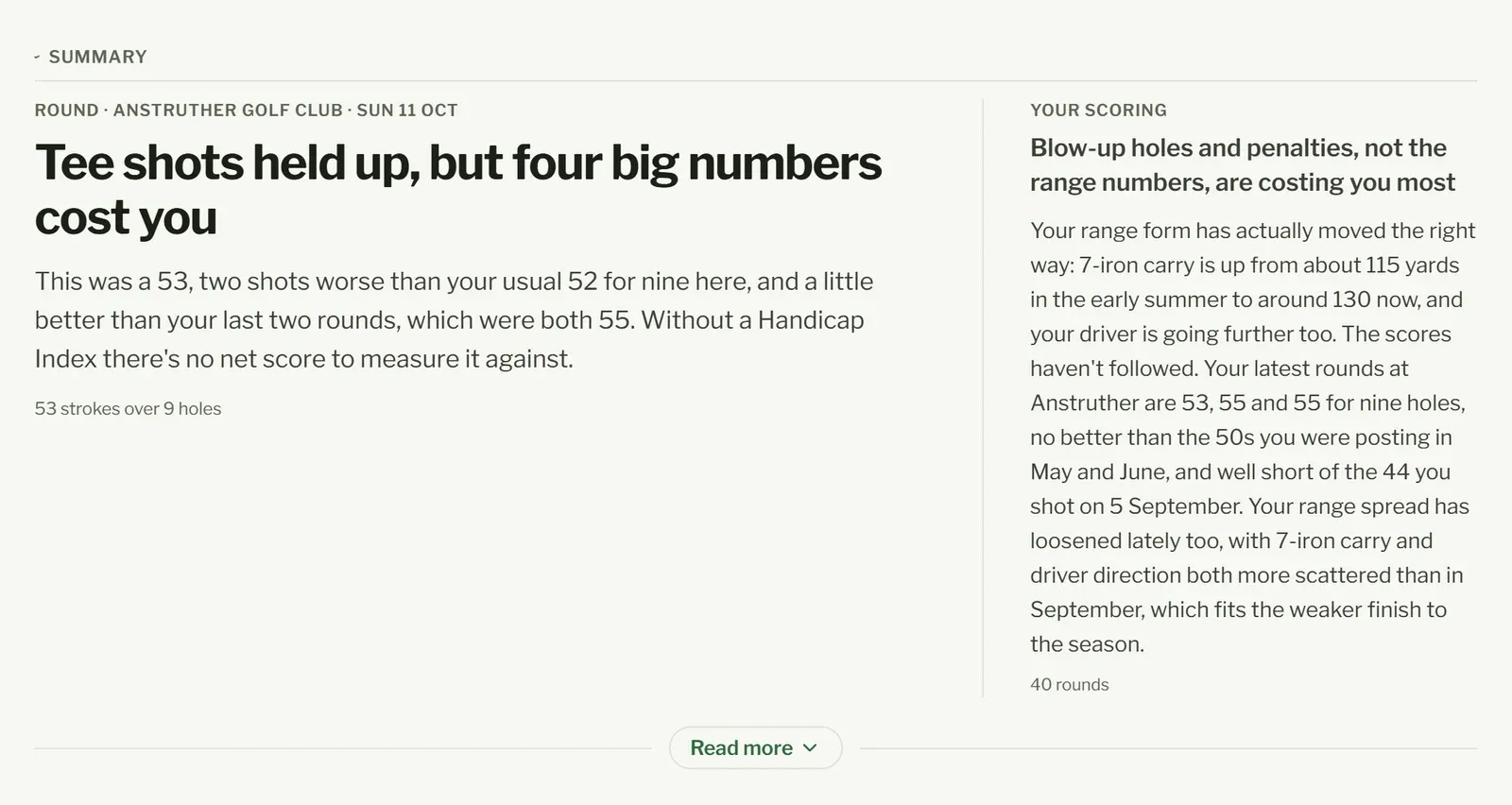
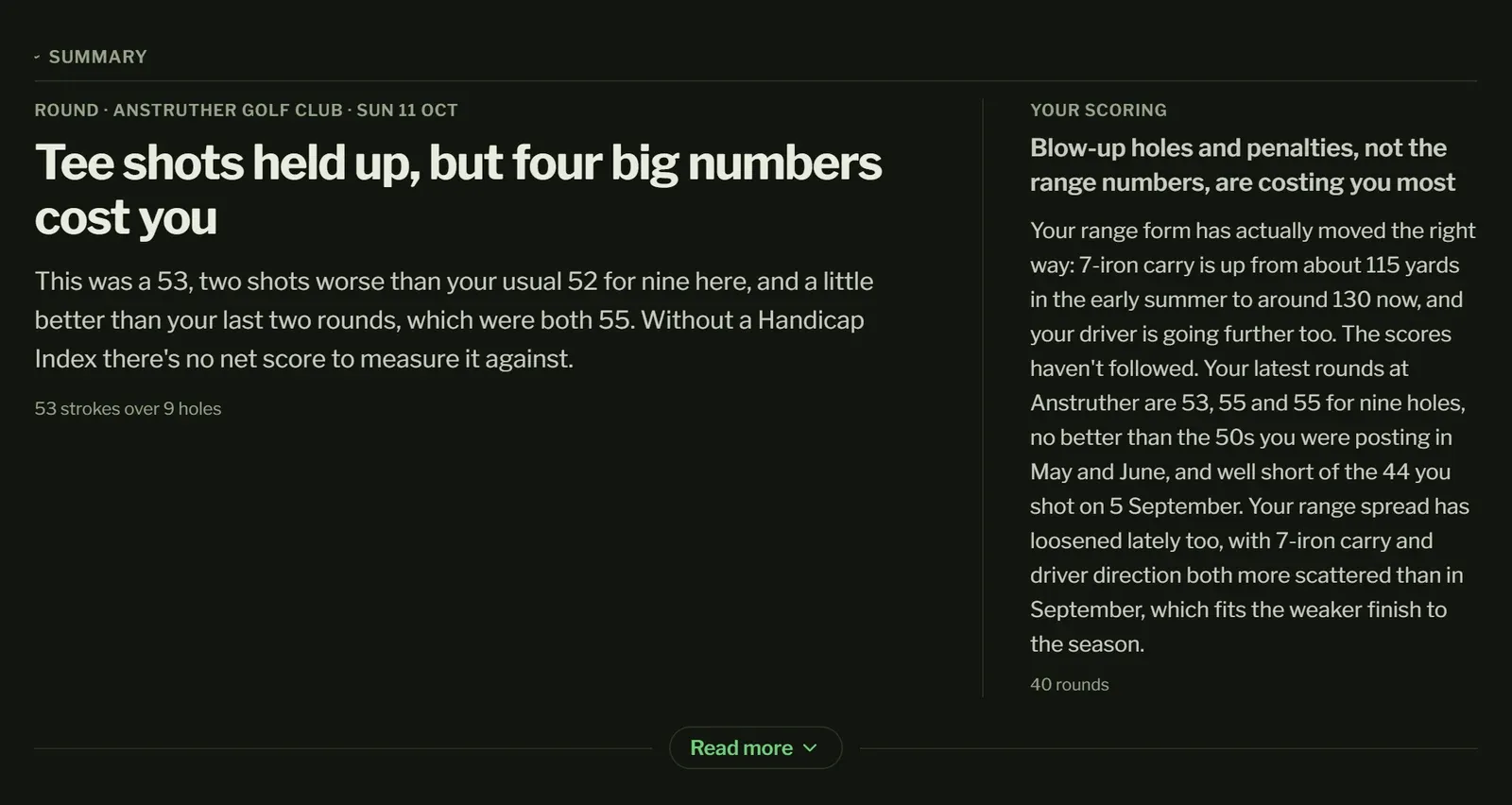
At the top: a few lines on your last round, with Your scoring beside it on how your scoring is going overall, each under a headline. Read more opens the rest of both. They’re written by themselves when you open the page after adding rounds or changing your Handicap Index. Every round keeps its own summary: open an older one and press Write a summary for it. Each round summarised counts once towards your plan’s summaries for the month, as sessions do.
Along the hole
Section titled “Along the hole”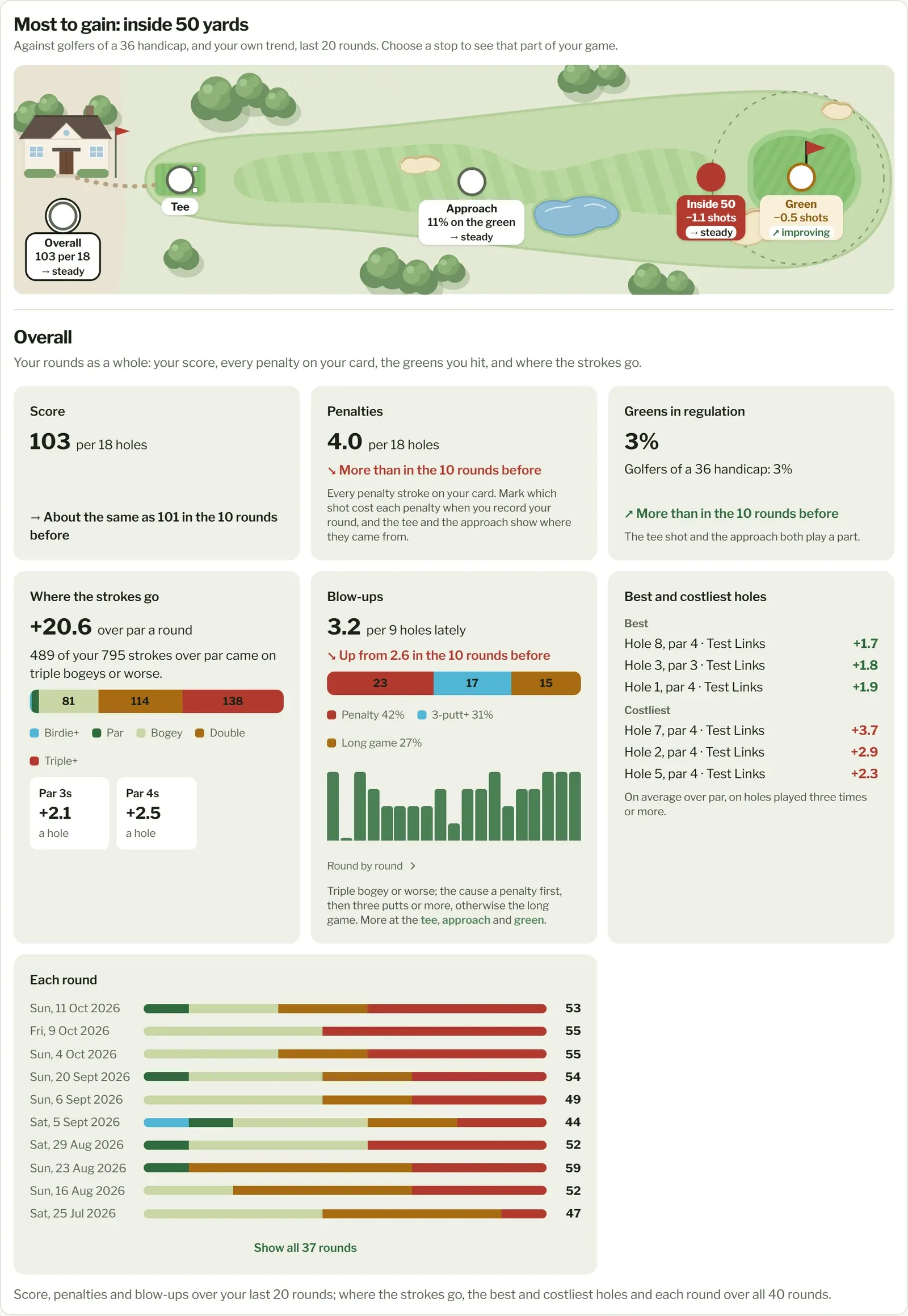
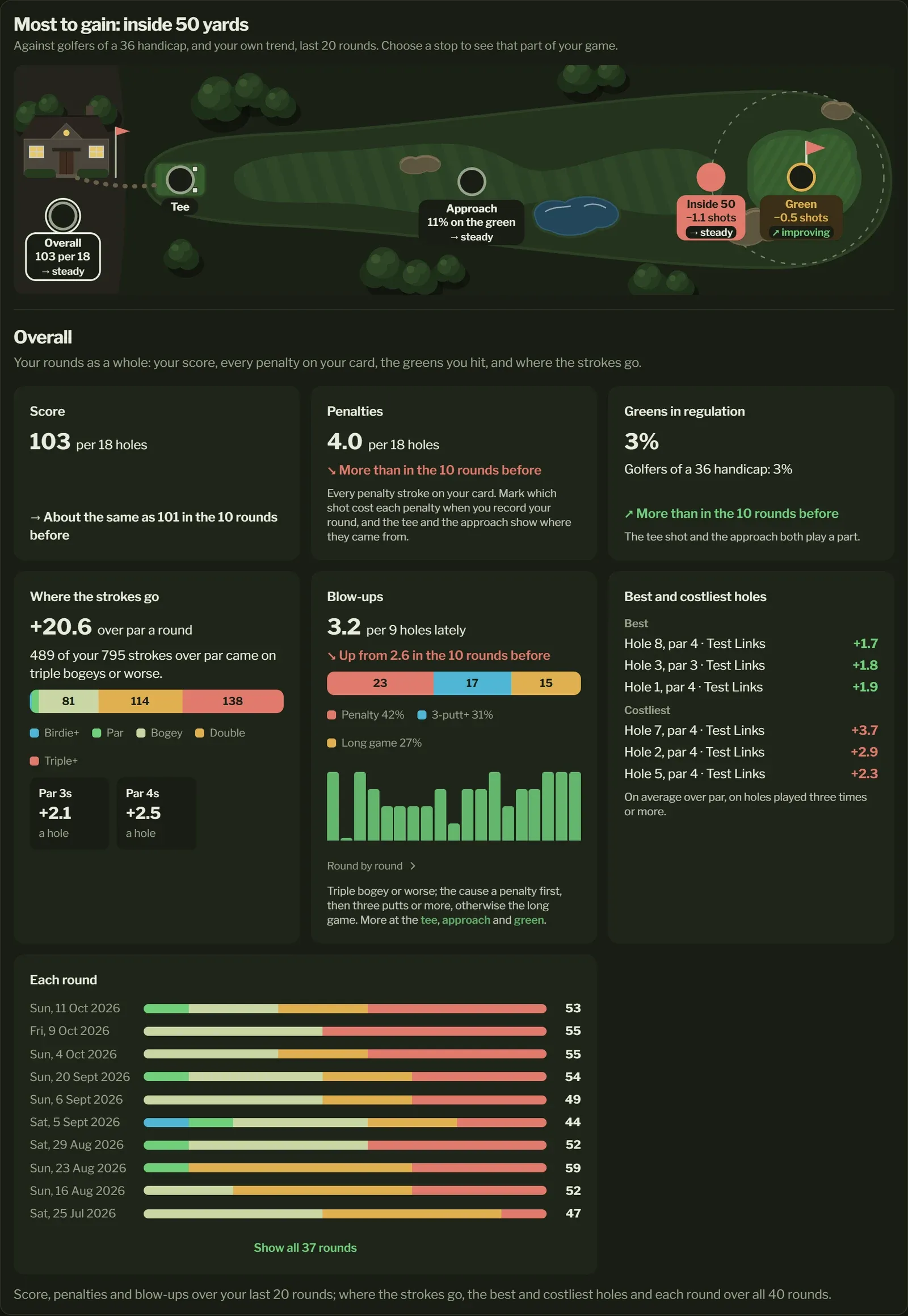
A hole across the top of the page is how you get round it. Each stop is a part of your game, tagged with how it compares with golfers of your Handicap Index and how it’s going for you (your last 10 rounds against the 10 before). Choose a stop, its tag or the clubhouse, tee box or green drawn, to see that part of your game under the hole. The headline names the stop where you lose most.
- Overall (the clubhouse), where the page opens: your rounds as a whole. Your score, every penalty on your card and your greens in regulation against golfers of your handicap; where the strokes go (your mix of scores, and par 3s, 4s and 5s); blow-ups and what caused them; your best and costliest holes; and each round’s scores.
- Tee: how often your drives go out of play against golfers of your handicap band, where your tee shots go (left, fairway or right), what your tee shot leaves to the pin on par 4s, and the blow-ups that follow a big miss. Drives out of play need the shot that cost each penalty marked when you record your round; once most are, they show.
- Approach: how often your shots from over 50 yards (par 3 tee shots too) find the green, where the rest finish, how often you find the green from each distance, how many shots it takes to get within 50 yards, and the blow-ups on the way. Penalties show here, and at the tee, only when you mark which shot cost each penalty; otherwise they’re all at Overall.
- Inside 50: how often you get up and down (down in two from your first shot inside 50 yards, off the green), the shots it takes to hole out (to reach the green, then putts), and by distance and by lie. Its tag has the shots per 18 holes you gain or lose there. It needs holes tracked shot by shot.
- Green: how often you three-putt, and your putting (see On the green). Its tag has the shots per 18 holes you gain or lose there.
The comparison is over your last 20 rounds and needs your Handicap Index in Settings; past a handicap of 36, you’re compared with a 36. Where the strokes go, your best and costliest holes and each round’s scores are over all your rounds.
A colour says how a stop compares: green when you gain a shot or more per 18 holes on golfers of your handicap, amber when you lose up to one, red when you lose more. A trend is green when it’s getting better and red when it’s getting worse.
On Free, every stop shows its tag and its comparison with golfers of your handicap. The detail behind each stop (where your approaches finish, the shots to hole out, your putting, the blow-ups, your best and costliest holes, and the like) is part of Pro, and shows as a locked card.
Blow-ups
Section titled “Blow-ups”A blow-up is a hole of triple bogey or worse: the holes that wreck a card. At Overall, how often they happen (per 9 or per 18 holes, depending on what you mostly play) over your last 20 rounds, whether that’s improving, and what caused each:
- a penalty, if there was one on the hole,
- otherwise three putts or more,
- otherwise the long game (getting to the green).
If your rounds don’t record putts, Paragraph can’t tell the last two apart and says so.
On the green
Section titled “On the green”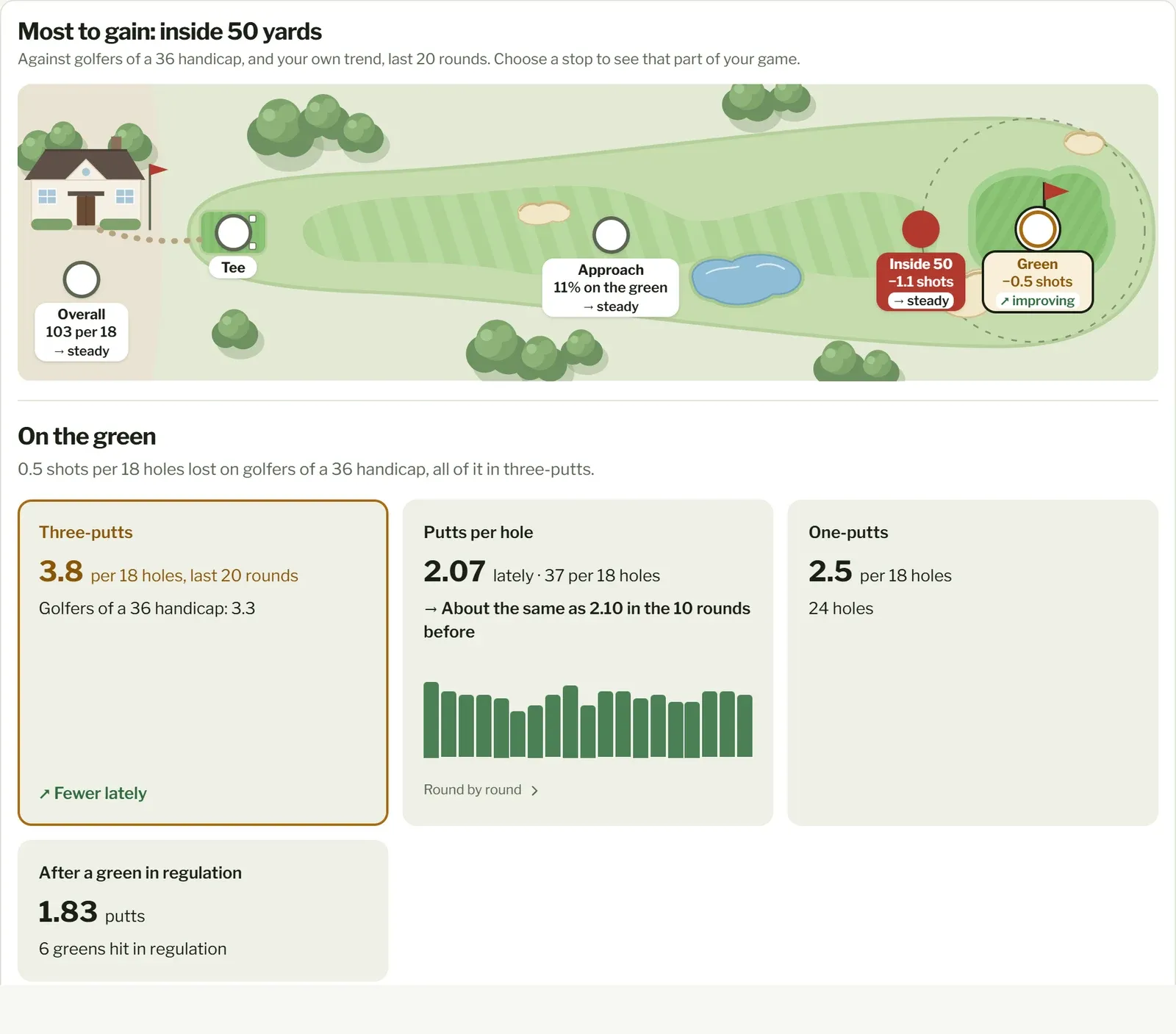
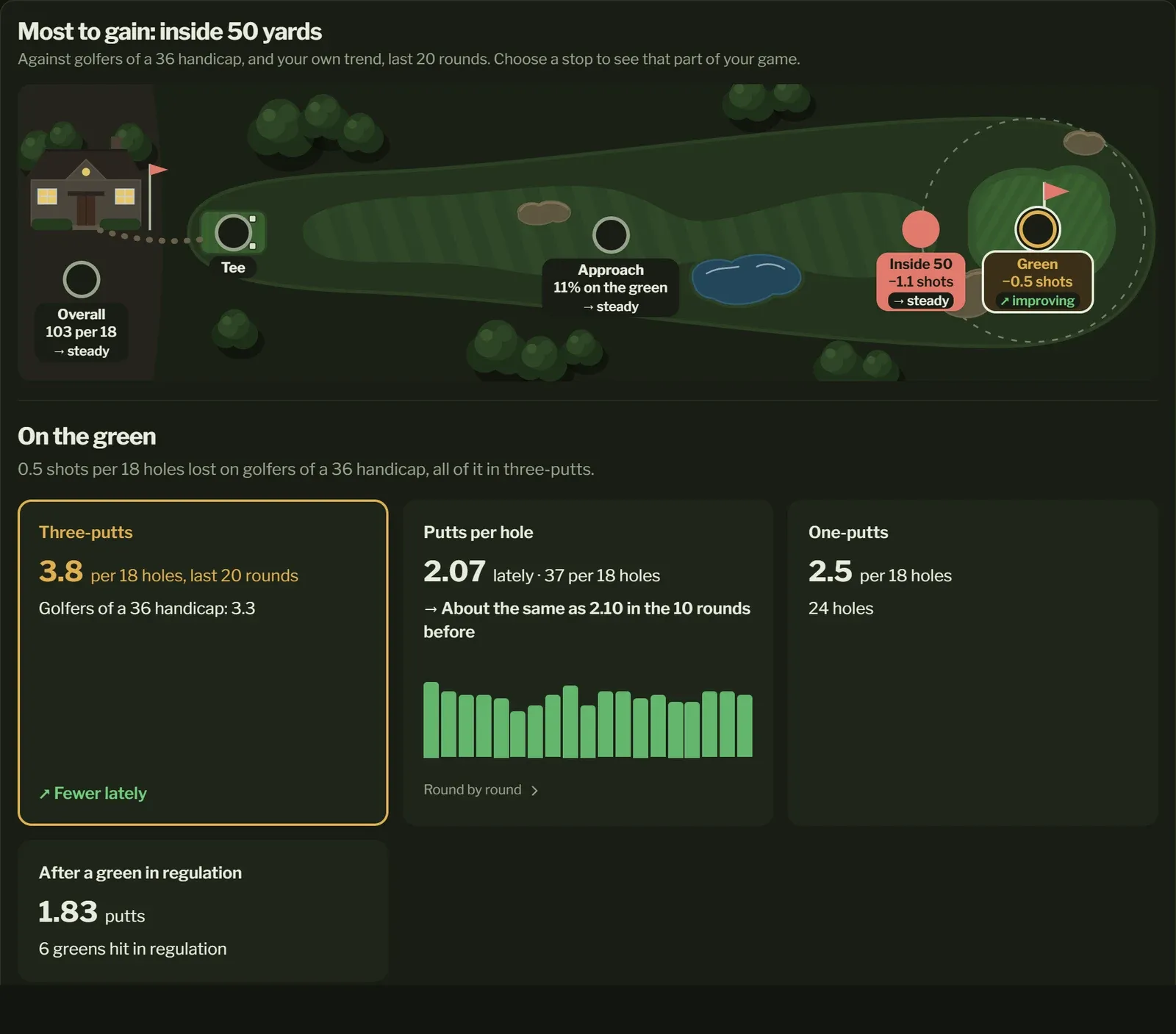
Beside the three-putts, your putting: putts per hole in your last 10 rounds against the 10 before, round by round, how often you one-putt (per 18 holes), and your putts after a green in regulation (on the green with two putts left for par). It needs putts recorded for every hole of a round, so a round with putts missing is left out.
Handicap and scores
Section titled “Handicap and scores”Your Handicap Index over time, and your last, best and average scores. Paragraph doesn’t calculate your handicap: it shows the ones you enter in Settings, keeping each change so you can see the trend.
9-hole and 18-hole scores are kept apart, since they can’t be compared. If you’ve played both, Round length switches between them. Once you have four or more rounds, the trend compares your recent half of rounds with your earlier half.
Eclectic
Section titled “Eclectic”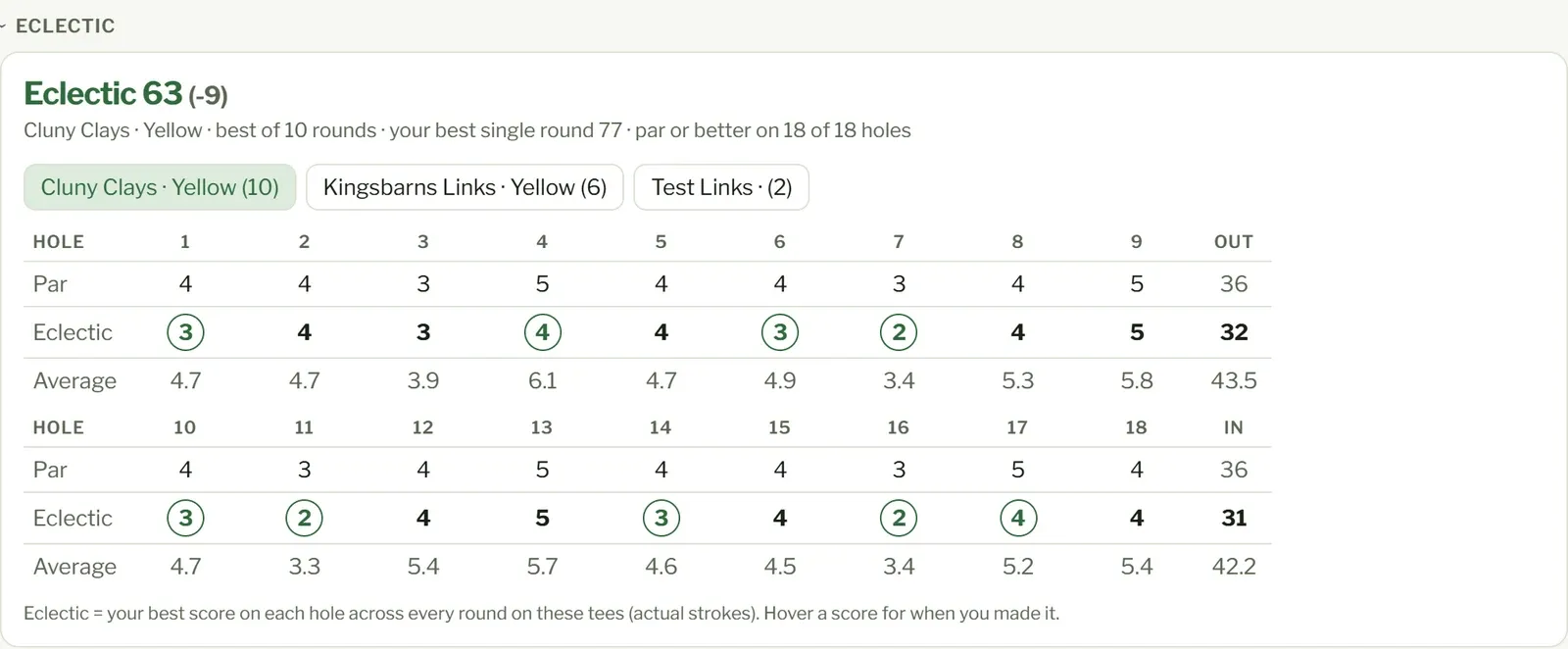
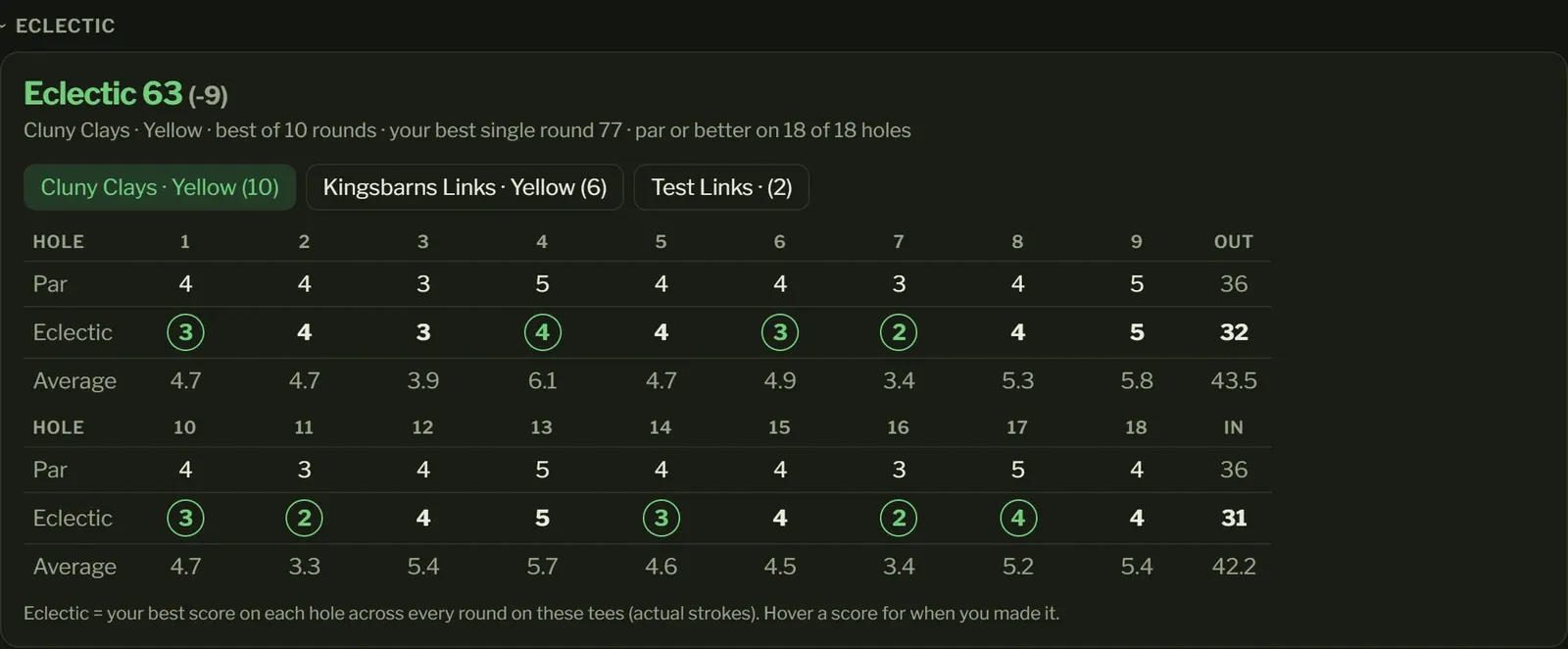
Your best score on each hole of a course, across every round you’ve played there from the same tees: your round if everything went right. Circled scores are under par. Under it is your average on each hole, and the headline compares it with your best actual round there. Hover over a score to see when you made it. Pick a course and tees along the top.
Rounds
Section titled “Rounds”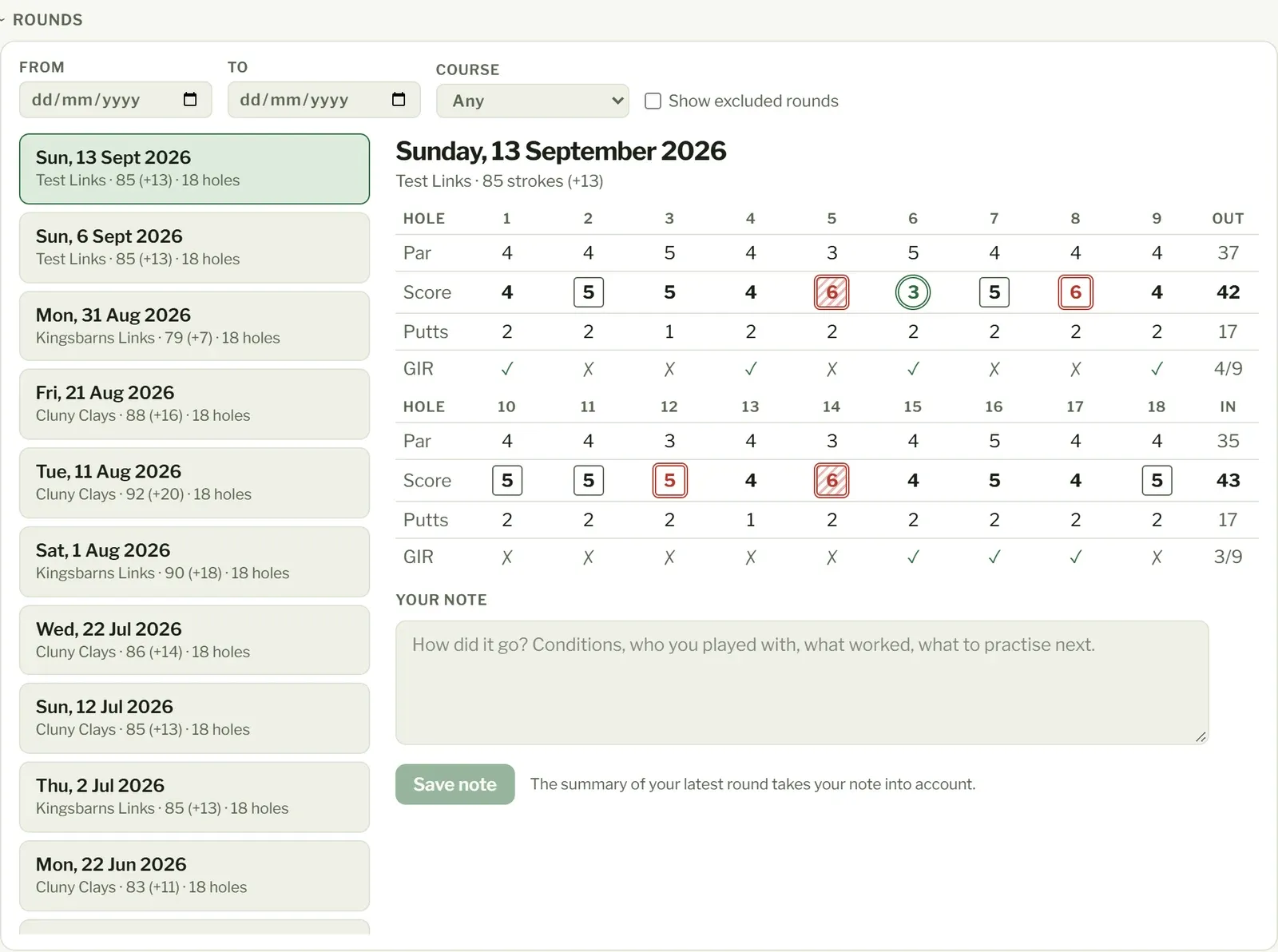
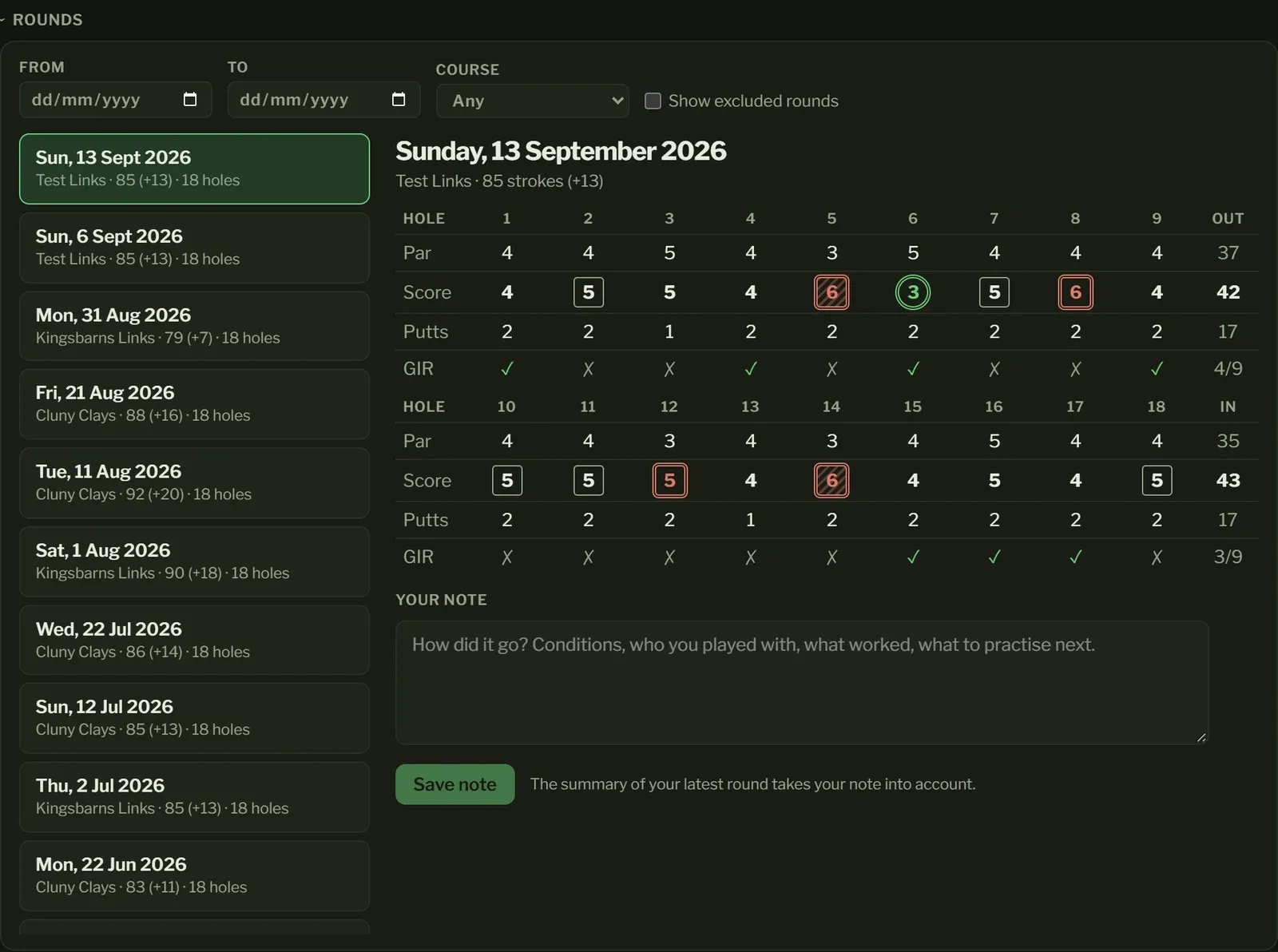
Every round, filtered by Course, Tees or Recorded by (the app it came from); each list offers only what goes with the other, so picking Yellow shows only the courses you’ve played off the yellows. Open a round for its scorecard, your note on it and its summary (or Write a summary for one that has none yet). A round left out of your stats has no summary.
In your stats or not
Section titled “In your stats or not”A round says when it’s not in your stats. A round you excluded in Garmin Golf (or another app) starts out of them; press count it to put it back. Press Leave out of your stats on any other round, a practice round, say. Your choice stays when you upload your rounds again.
A round of any length counts, a six-hole course included. Its holes go into your hole stats and eclectic, but only full 9- and 18-hole rounds count as scores: best 9 and 18, your score timeline and the score achievements.
Handicap strokes
Section titled “Handicap strokes”Under each score, a dot for every handicap stroke you get on that hole, as on a paper card; hover over them for your net score there. The round says what you were playing off. The strokes come from:
- your Handicap Index on the day of the round, as you entered it in Settings (for a round before your first entry, the first one you entered),
- the rating, slope and stroke indexes the round was played with: those of its tees in Your courses when it was added or last uploaded, or when you last picked its tees or applied a correction to them.
They’re worked out the way the World Handicap System does: your course handicap for those tees, then a stroke on each hole in stroke index order (the hardest first), and round again if there are strokes left. For 9 holes you get half.
Strokes only show on a full 9 or 18 holes. If something’s missing (no Handicap Index yet, or tees without a rating, slope or stroke indexes) the round says what, and where to add it. The Yards and SI (stroke index) rows are the round’s own too: a correction to its tees shows once you apply it to existing rounds or upload the round again.
Switch the card from Gross to Net to take your strokes off: each hole’s score, the totals and the round’s score become net, and greens in regulation are measured against your own par, so a stroke on a hole gives you one more shot to reach the green. Greens you only made with your stroke are highlighted. A plus handicap’s strokes back go on your net scores, but a green still only needs par less two. Everywhere else, scores and greens stay gross.
Which tees
Section titled “Which tees”Next to the course is the set of tees the round was played off. Change it when your watch or app had it wrong. Some watches only offer Mens and Womens, so if you played off the whites, pick White (add it in Your courses first). The round takes the rating, slope and each hole’s par, yards and stroke index of the tees you pick, and your choice stays when you upload your rounds again.
Your courses
Section titled “Your courses”Every course you’ve played, with each set of tees: their rating and slope, how many of your rounds were played off them, and each hole’s par, yards and stroke index. They’re filled in from your rounds as your watch or app recorded them, and used as they are. Some apps have a course wrong, so check them against the course’s scorecard:
- Correct: change the tees’ name, rating, slope or any hole. Uploading your rounds again won’t change it back. If your watch calls them Mens, rename them to the colour on the card; your rounds still find them. Your rounds keep the numbers they were played with, unless you tick Apply to existing rounds to give the rounds off those tees the corrected ones (uploading a round again gives it them too).
- Copy as new tees: for tees your watch doesn’t have. The copy has the same rating, slope and holes, ready for you to correct.
- Remove: for tees no round is off (a copy you no longer need, say). Undoing an upload leaves the tees it added.
A course’s rating and slope are on its scorecard or your golf union’s website. For a 9-hole course, use the 9-hole rating.
Yardage card
Section titled “Yardage card”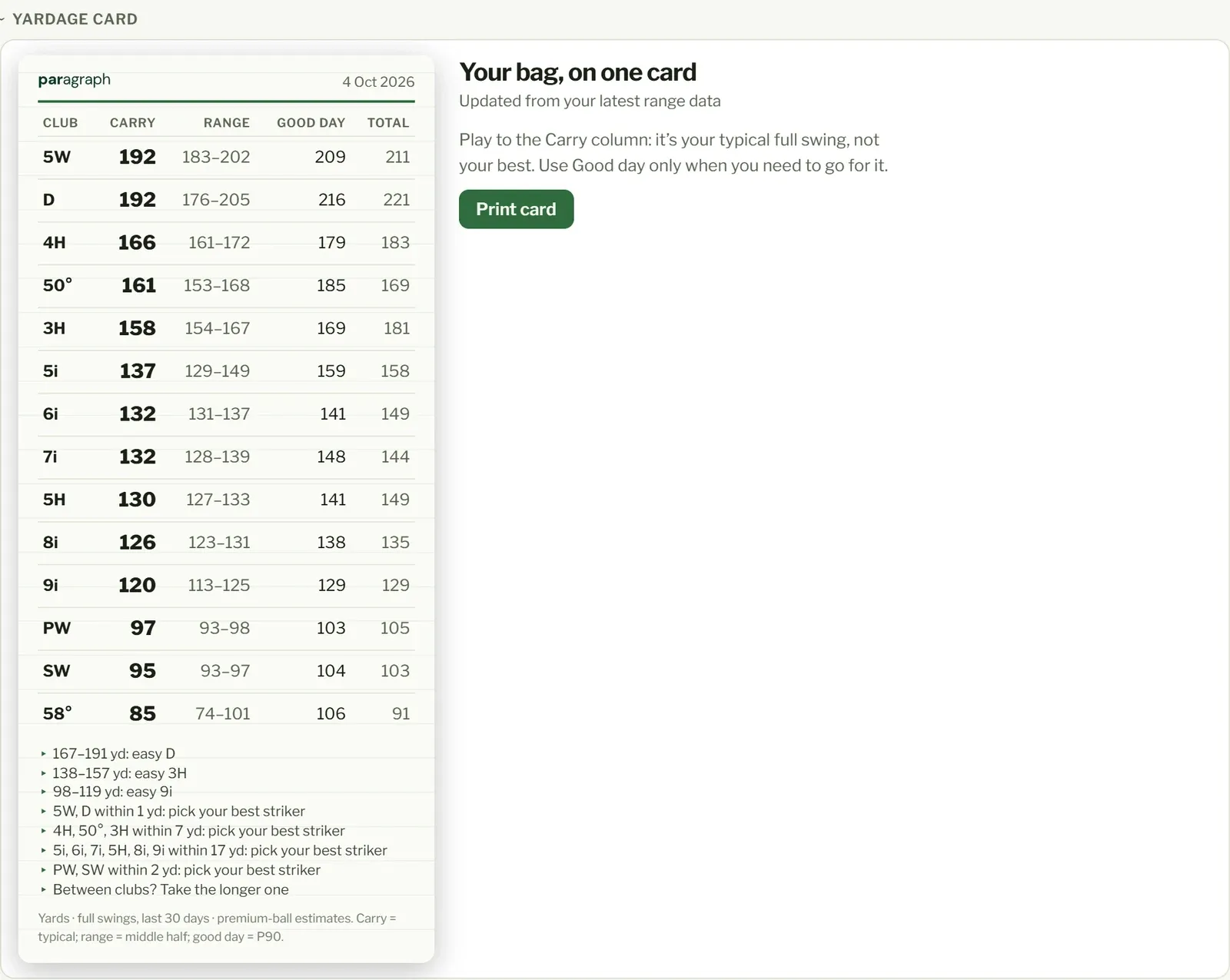
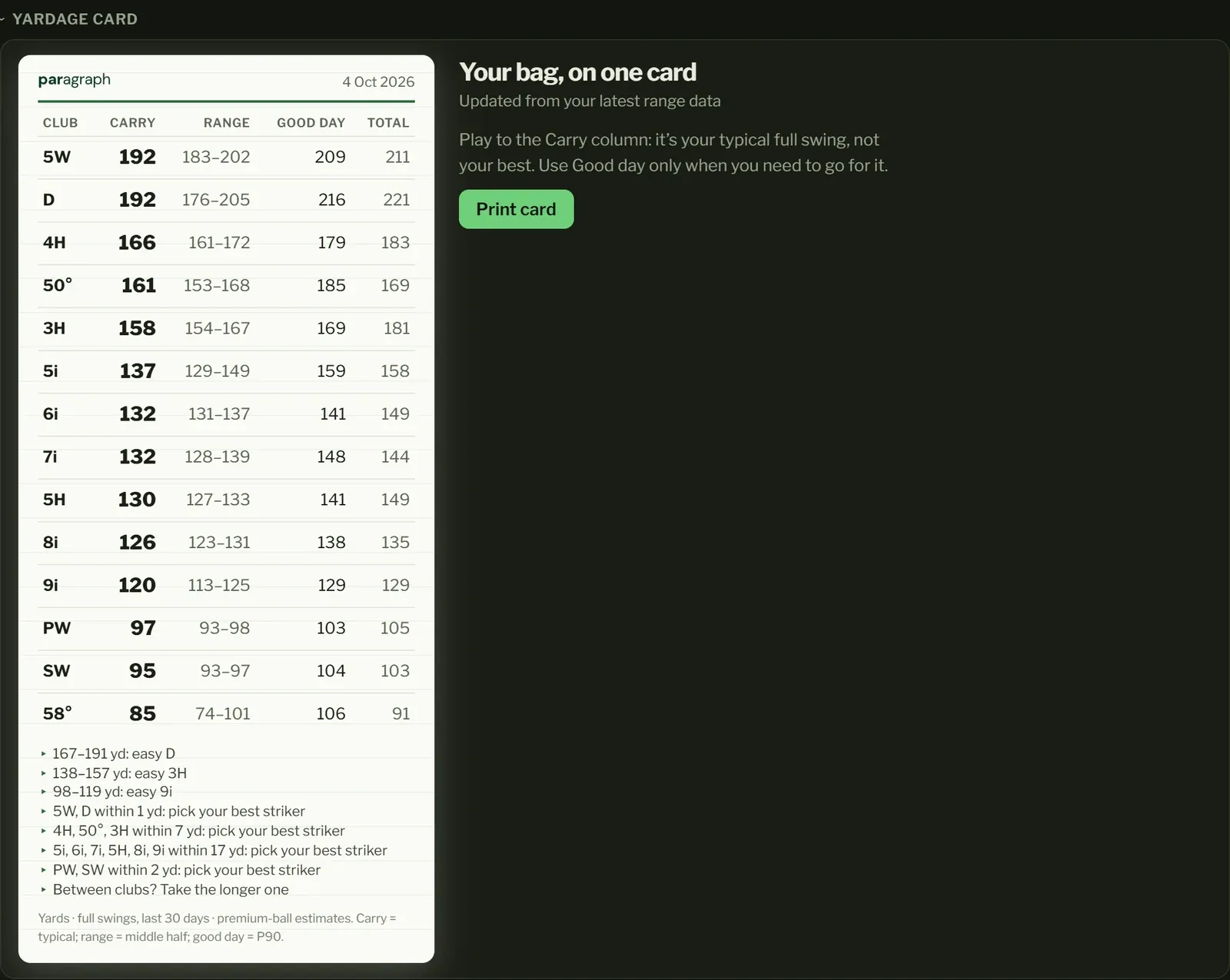
Your bag, on one card, worked out from your recent full swings with each club, newest counting most. It updates every time you practise. Press Print card to take it on the course. In the app on an iPhone or iPad, it opens the card as a picture: tap Print or share, then Print.
- Carry: your typical full swing: half go further, half shorter. Play to this.
- Range: where the middle half of your shots land. Most of your shots finish in this window.
- Good day: one in ten goes further than this. Use it only when you need to go for it.
- Total: your typical distance including roll.
Notes at the bottom point out where two clubs go about the same distance (pick the one you strike best) and where there’s a big gap (the distances where an easy swing with the longer club is the play). A club needs a few full swings to be on the card.
From your rounds
Section titled “From your rounds”If your watch tracks your shots during a round, there’s a card from those too, in Total distance on the course, roll and all, from your full shots in the last 12 months of rounds, newest counting most. Chips, punch-outs and layups (shots well short of the club’s usual distance), shots from a bunker or trouble, and shots that cost a penalty are left out, and a club needs five full shots to be on it.
With both range sessions and rounds tracked shot by shot, choose Course or Range above the card. The two are never mixed: the course card is in totals, the range card in carries.